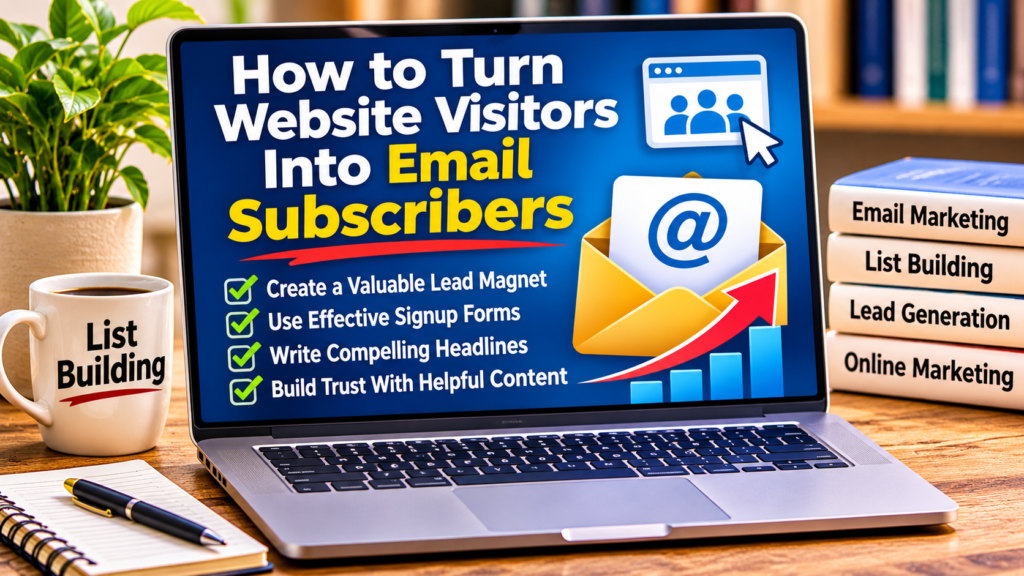

How to Turn Website Visitors Into Email Subscribers
Getting people to visit your website is exciting, especially when you’ve spent hours creating helpful blog posts and optimizing them for search engines.
But here’s a question every blogger and online marketer should ask:
What happens after someone visits your website?
They might read an article, find the information useful, and leave without ever returning.
That’s one of the biggest challenges in online marketing.
You can work hard to attract visitors through search engines, social media, and other traffic sources, but if you don’t have a way to stay connected, many of those visitors may disappear.
That’s why learning how to turn website visitors into email subscribers is such an important skill.
An email list gives interested readers the opportunity to hear from you again. Instead of relying entirely on search engines or social media algorithms, you can build an ongoing relationship through helpful emails.
And the best part?
You don’t need thousands of daily visitors or expensive software to get started.
In this guide, we’ll explore nine practical list building strategies that can help you turn more website visitors into subscribers while building trust with your audience.
Why Turning Website Visitors Into Email Subscribers Matters
Imagine spending several hours writing a detailed blog article.
You research the topic, organize your information, optimize your headings, add images, and finally publish it.
Over time, people begin discovering your article through Google or social media.
That’s great progress.
But what if most visitors read your content and never return?
Without an email list, you have limited opportunities to reconnect with those readers.
Email marketing helps solve this problem by allowing interested visitors to subscribe voluntarily.
Once someone joins your list, you can share additional tips, recommend useful resources, announce new articles, and occasionally introduce relevant products.
Unlike social media followers, email subscribers have specifically agreed to receive messages from you.
Of course, having an email list doesn’t guarantee that subscribers will open your messages or purchase anything.
However, it provides another way to develop relationships with people who have already shown interest in your content.
Let’s look at how to get started.
1. How to Turn Website Visitors Into Email Subscribers: Getting Started
One of the most effective ways to encourage email subscriptions is to offer something useful in exchange for signing up.
This is commonly called a lead magnet.
A lead magnet is a free resource visitors receive after subscribing to your email list.
The goal is simple: provide enough value that people genuinely want to receive it.
Examples of effective lead magnets
Depending on your niche, you could offer:
- A short beginner’s guide.
- A downloadable checklist.
- A helpful PDF report.
- A collection of useful templates.
- A free email course.
- A step-by-step tutorial.
- A resource guide.
For example, if your blog focuses on affiliate marketing, you might offer a free report titled:
“7 Common Affiliate Marketing Mistakes Beginners Should Avoid.”
Someone interested in affiliate marketing could find that resource useful.
The important thing is to make your lead magnet relevant to the visitors you’re trying to attract.
Solve one specific problem
A common mistake is trying to cover too much information in one free resource.
Your lead magnet doesn’t need to be 100 pages long.
Sometimes a five-page guide that solves one specific problem is more appealing than a lengthy report covering dozens of unrelated subjects.
Ask yourself:
“What problem does my ideal subscriber want help solving right now?”
Build your free offer around that answer.
List building tip: A useful lead magnet should deliver the value promised on your signup page.
2. Make Your Email Signup Form Easy to Find
You could have an excellent lead magnet, but it won’t help much if visitors never discover it.
That’s why the placement of your email signup form matters.
Your form should be easy to notice without interfering with the visitor’s experience.
Where should you place signup forms?
Consider these locations:
Near the beginning of a blog article
A short invitation can introduce your free resource to interested readers.
At the end of your articles
Someone who finishes reading a helpful post may be interested in receiving more information.
In your website sidebar
A sidebar form can provide another subscription opportunity on desktop layouts.
On a dedicated landing page
A standalone page can focus entirely on explaining your free offer.
Within relevant articles
A contextual signup invitation can work well when it relates directly to the topic being discussed.
For example, an article about affiliate marketing could include a signup form offering a free beginner’s affiliate marketing checklist.
The key is relevance.
A signup form shouldn’t feel like an unrelated advertisement.
Remember mobile visitors
Many people browse websites using smartphones.
Make sure your signup forms are readable, easy to complete, and don’t cover important content.
A form that looks excellent on a desktop computer may be frustrating to use on a smaller screen.
Always test your forms on mobile devices before publishing.
3. Write a Clear and Compelling Signup Headline
Your signup headline is often the first thing visitors notice about your offer.
It should quickly explain what they’ll receive and why it matters.
Avoid vague headlines such as:
“Join My Newsletter.”
There’s nothing necessarily wrong with that wording, but it doesn’t explain the benefit.
Instead, try something more specific.
Example signup headlines
For affiliate marketing:
“Get My Free Beginner’s Guide to Affiliate Marketing.”
For blogging:
“Discover 10 Simple Ways to Improve Your Blog.”
For list building:
“Get the Free Email List Building Checklist.”
For online marketing:
“Learn 7 Common Online Marketing Mistakes to Avoid.”
Notice how each headline identifies a specific resource.
Visitors shouldn’t have to guess what they’re signing up for.
Add a short supporting description
Under your headline, explain the offer in one or two sentences.
For example:
“Download this free checklist and discover practical steps for starting your email list, creating a signup form, and welcoming your first subscribers.”
That’s much clearer than simply asking people to subscribe.
4. Keep Your Signup Form Simple
Another important list building strategy is reducing unnecessary steps.
If someone wants your free report, they probably don’t want to complete a lengthy questionnaire first.
For most beginner email lists, a simple form is enough.
You might ask for:
- Email address.
- First name, if you plan to personalize messages.
In many cases, collecting only an email address is sufficient.
Every additional field creates another task for the visitor.
Should you ask for a first name?
That depends on your email marketing strategy.
A first name can help personalize messages.
However, requiring it may discourage some visitors from subscribing.
One option is to make the name field optional.
Another is to begin with email-only forms and test whether additional fields improve or reduce results.
There’s no universal answer.
The best choice depends on your audience.
Make your signup button specific
Instead of using a generic button that says “Submit,” consider:
“Get My Free Guide”
“Send Me the Checklist”
“Download My Free Report”
These phrases help reinforce what the visitor will receive.
Also, explain that subscribers will receive emails from you, and link to your privacy policy.
Clear expectations are important for building trust.
5. Build a Dedicated Landing Page for Your Free Offer
A landing page is a webpage designed around one primary action.
For list building, that action is usually subscribing to receive a free resource.
Unlike a typical blog homepage, a dedicated landing page can minimize distractions.
It might include:
- A compelling headline.
- A short explanation of the free offer.
- Three or four key benefits.
- An image of the report or guide.
- An email signup form.
- A clear call to action.
You don’t need a complicated design.
In fact, a clean page that clearly explains the offer can be easier for visitors to understand.
Example landing page structure
Headline:
“Start Building Your Email List With This Free Beginner’s Guide.”
Supporting text:
“Discover practical steps for creating a lead magnet, setting up a signup form, and welcoming your first subscribers.”
Benefits:
Learn what makes a useful lead magnet.
Discover where to place signup forms.
Understand how welcome emails work.
Call to action:
“Get My Free Guide.”
This simple structure gives visitors enough information to decide whether the resource is relevant to them.
Match your landing page to your traffic source
Suppose you publish a Facebook post about growing an email list.
If someone clicks through to your landing page, the offer should match what they expected.
Sending people to an unrelated promotion can create confusion and reduce trust.
Consistency between your traffic source and landing page helps create a smoother experience.
6. Use Helpful Blog Content to Attract Potential Subscribers
Your blog can become an important part of your list building strategy.
Every useful article gives someone another opportunity to discover your website.
But instead of writing random posts, focus on topics your intended audience is searching for.
For example, a blog about online marketing might publish articles covering:
- How to start affiliate marketing.
- How to build an email list.
- How to get free website traffic.
- How to create helpful blog content.
- How to use AI for marketing tasks.
These subjects naturally connect with one another.
Someone reading about affiliate marketing may also be interested in building an email list.
That creates opportunities to introduce related resources.
Connect your articles with internal links
Internal links help visitors discover additional content on your website.
For example, if you’re completely new to email marketing, you can start with my guide on how to build an email list from scratch.
Internal linking can also help search engines discover and understand relationships between your pages.
However, don’t add links simply to increase the number of links in an article.
Make sure they genuinely help readers.
Focus on helpful content first
People are more likely to consider subscribing when they’ve already received useful information.
That’s why quality blog content and email list building work well together.
Your article provides the initial value.
Your lead magnet offers something additional.
And your email sequence gives subscribers a reason to stay connected.
7. Set Up an Automated Welcome Email Sequence
Getting someone to subscribe is only the beginning.
What happens next can influence whether they continue opening your emails.
A welcome email introduces your business, delivers the promised resource, and helps establish expectations.
You don’t need an elaborate automation system to begin.
Start with a few helpful emails.
Example five-email welcome sequence
Email 1: Welcome and deliver the free resource
Thank the subscriber for joining and provide the promised download.
Explain what types of emails they’ll receive.
Email 2: Share one useful tip
Offer a practical idea related to your lead magnet.
Keep the message focused.
Email 3: Address a common beginner mistake
Explain a problem your audience frequently encounters and offer a solution.
Email 4: Recommend additional helpful content
Link to a relevant article or resource on your website.
Email 5: Introduce a relevant next step
Share another useful resource or, where appropriate, recommend a product that addresses a specific need.
You can expand your sequence as your business grows.
Choosing an email marketing platform
An email marketing service can help you manage subscribers, create signup forms, and send automated follow-up messages.
One platform worth exploring is AWeber.
AWeber provides tools for email campaigns, signup forms, and automation, making it a practical option for bloggers and affiliate marketers who want to organize their email marketing activities.
Whatever platform you choose, learn how to use its basic features before adding unnecessary complexity.
Also, make sure your emails identify the sender, include an unsubscribe option, and follow applicable email marketing laws.
8. Build Trust Before Promoting Affiliate Products
One of the biggest mistakes beginners make is treating every new subscriber as an immediate sales opportunity.
Imagine subscribing to receive a free guide and then receiving nothing but promotional emails.
You probably wouldn’t stay subscribed very long.
Instead, focus on building a relationship.
Share practical advice.
Answer common questions.
Recommend helpful resources.
Be transparent about affiliate relationships.
When you eventually introduce a product, explain why it may be useful.
Make your recommendations relevant
Suppose your audience consists of people interested in affiliate marketing.
You might share educational content about choosing products, creating blog posts, building an email list, and attracting visitors.
If you’re discussing ways AI can help with those activities, you could naturally introduce a resource such as my AI Affiliate Starter Kit.
The important point is that the recommendation should fit the topic and provide a potential benefit to the reader.
Avoid exaggerated claims about earnings or guaranteed results.
Trust develops over time
A subscriber may read several of your emails before deciding whether to click a link or explore a recommendation.
Some subscribers may never purchase anything.
That’s normal.
Your responsibility is to provide value and respect the permission they’ve given you to contact them.
The goal is to build a list of interested readers, not simply collect as many email addresses as possible.
9. Track Your Results and Improve Your Signup Process
Once your signup forms and landing pages are working, start paying attention to your results.
You don’t need complicated analytics software to begin.
Focus on a few basic measurements.
Important list building metrics
Website visitors
How many people visit the page containing your signup form?
Email subscribers
How many people subscribe during a particular period?
Signup conversion rate
What percentage of visitors become subscribers?
Email open rates
How often are your emails opened? Remember that privacy features can make open-rate data imperfect.
Email clicks
Are subscribers clicking through to your articles and resources?
Unsubscribes
Are people leaving your list after receiving certain messages?
These measurements can help you identify opportunities for improvement.
How to calculate your signup conversion rate
The basic formula is:
Signup Conversion Rate = (New Subscribers ÷ Website Visitors) × 100
For example, suppose 200 people visit your landing page and 20 subscribe.
Your conversion rate would be:
(20 ÷ 200) × 100 = 10%
That doesn’t mean 10% is a guaranteed or universal benchmark.
Conversion rates vary depending on your niche, traffic source, offer, and audience.
The most useful comparison is often your own performance over time.
Test one change at a time
If your signup rate is lower than you’d like, experiment with improvements.
You might test:
- A different headline.
- A clearer description.
- A more relevant lead magnet.
- A shorter signup form.
- A different call-to-action button.
- Another form placement.
Try changing one major element at a time so you can better understand what influenced the results.
And don’t judge a test based on only a handful of visitors.
Small samples can produce misleading results.
Common List Building Mistakes Beginners Should Avoid
Before putting these strategies into action, it’s worth reviewing several common mistakes.
Offering a free resource that doesn’t match your audience
A lead magnet should be closely related to the content people came to see.
An unrelated offer may attract the wrong subscribers or fail to generate interest.
Making unrealistic promises
Avoid promising guaranteed income, instant results, or outcomes you can’t support.
Clear, realistic descriptions build credibility.
Sending too many promotional emails
Subscribers need reasons to remain interested.
Balance relevant recommendations with useful information.
Forgetting to test the signup process
Always test your form, confirmation process if applicable, welcome email, and download link.
A broken signup form can cost you subscribers without you realizing it.
Ignoring mobile users
Check that your landing pages, forms, and emails work properly on smartphones.
Buying email lists
Purchased lists generally lack the direct permission and genuine interest that make a healthy subscriber list valuable.
Focus on attracting people who voluntarily subscribe.
Giving up too quickly
List building often takes time.
Your first few subscribers may arrive slowly, especially if your website is new.
Use early results to improve your approach rather than assuming the entire strategy doesn’t work.
A Simple 30-Day Plan to Start Getting More Email Subscribers
If you’re ready to improve your list building efforts, here’s a manageable plan.
Week 1: Create or improve your lead magnet
Choose one problem your intended audience wants to solve.
Create a short, helpful resource.
Make sure the information is accurate and easy to understand.
Week 2: Build your signup page
Create a landing page explaining your offer.
Add a simple signup form.
Include a clear call to action and relevant privacy information.
Test the complete signup and delivery process.
Week 3: Connect your blog content
Identify articles related to your free offer.
Add relevant subscription invitations.
Consider creating a new article that naturally introduces your lead magnet.
Week 4: Review and improve
Check your website visits and subscriber numbers.
Review whether your forms are working properly.
Look for opportunities to clarify your headline or improve the offer.
Plan one reasonable experiment for the following month.
You don’t need to complete everything perfectly.
The purpose is to create a basic system that you can improve as you learn.
Final Thoughts: Turn More Visitors Into Long-Term Readers
Learning how to turn website visitors into email subscribers is an important part of building an online business.
Traffic is valuable, but traffic alone doesn’t guarantee that visitors will return.
An email list gives interested readers a way to stay connected with you.
Start by creating a useful lead magnet.
Make your signup forms easy to find.
Use clear headlines and simple landing pages.
Publish helpful blog content that attracts the right audience.
Then welcome new subscribers with valuable emails and relevant resources.
You don’t need a massive audience to begin.
Even a small list of genuinely interested subscribers can provide opportunities to learn what your readers need and develop stronger relationships.
Remember that list building is an ongoing process.
Test your ideas, monitor your results, and keep improving.
Don’t focus only on getting more website visitors. Give those visitors a good reason to become subscribers—and an even better reason to stay.
Affiliate Disclosure: This article contains affiliate links. If you make a purchase through one of these links, I may earn a commission at no additional cost to you. Results are not guaranteed.